Thank you for the tip
Your payment went through on ForIT's Stripe checkout. Enjoy ForIT Squelch.
Free Mac app
ForIT Squelch
Call mute for the Mac, on one shortcut
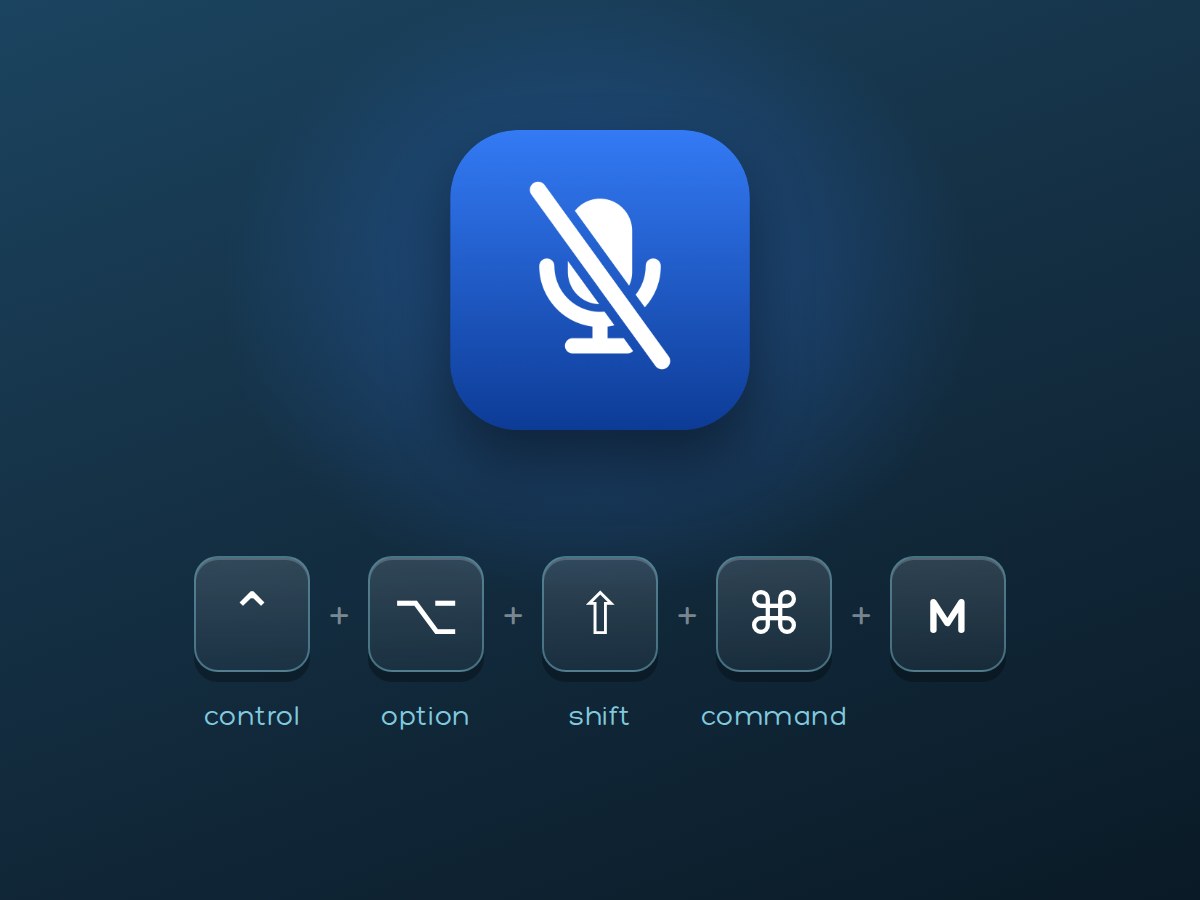
A native Mac app that mutes you inside Microsoft Teams, so everyone in the call sees you muted. One shortcut, Control + Option + Shift + Command + M, works from any app.
Free, signed with ForIT's Developer ID, notarized by Apple and open source.
- to download
- About 1 MBto download
- of memory
- 18 MBof memory
- of the processor
- About 0.1%of the processor
- with optional tips
- Freewith optional tips
How it works
Three steps, and the shortcut is yours.
- Step 1
Download and open
Open the DMG, drag ForIT Squelch to Applications and open it. It lives in the menu bar.
- Step 2
Allow Accessibility
On first launch Squelch asks for the Accessibility permission in System Settings. That is what lets it press the mute button in Teams.
- Step 3
Press the shortcut
Control + Option + Shift + Command + M mutes you, from whatever app is in front. Press it again to unmute.
Features
What it does, and nothing it doesn't.
Mutes inside Teams
Squelch presses the mute button in Microsoft Teams itself, so everyone in the call sees you muted.
One shortcut, any app
Control + Option + Shift + Command + M works from whatever app is in front. No switching to the call window first.
Follows Teams
Mute with the button in Teams and Squelch follows along, and the menu bar shows it.
Works outside a call
With no call, the shortcut mutes the Mac's microphone, and the menu bar shows whether an app is using it.
Native and light
Written in Swift for macOS. About 1 MB to download, 18 MB of memory and about 0.1% of the processor.
Signed and notarized
Signed with ForIT's Developer ID and notarized by Apple. One app for Apple silicon and Intel Macs.
In a call, and out of one
The same shortcut does the right thing either way.
In a Teams call
- Squelch finds the mute button in Microsoft Teams and presses it through macOS Accessibility.
- Because Teams itself mutes, everyone in the call sees you muted.
- Mute with the button in Teams and Squelch follows along.
- The menu bar shows the call and whether your mic is live or muted.
Not in a call
- The shortcut mutes the Mac's microphone with its own mute switch, or by turning its input volume down.
- Some microphones have neither. Squelch tells you when an app can still hear you.
- The menu bar shows whether an app is using the microphone.
Install
A download from ForIT, ready to open.
- 1Download Squelch.dmg below. It is about 1 MB.
- 2Open it and drag ForIT Squelch to your Applications folder.
- 3Open ForIT Squelch from Applications. Its icon appears in the menu bar.
- 4When asked, allow Squelch in System Settings, Privacy and Security, Accessibility.
To update, download the DMG again from this page and replace the app in Applications.
Requirements
- An Apple silicon or Intel Mac, tested on macOS 27
- The Accessibility permission, asked for on first launch
- Microsoft Teams for the mute inside a call
Private, open and yours
Privacy
No account, no sign in and no analytics. The app makes no internet connections.
Open source
The full source is on GitHub under the GNU General Public License, version 3 (GPL-3.0). Read it or build it yourself; the download from ForIT is that app, signed and notarized, ready to open.
For your team
ForIT deploys Squelch through your device management with its settings, and quotes the deployment as a service. Contact us.
Questions
Which call apps does it work with?
Squelch is built for Microsoft Teams on the Mac. ForIT names another call app here only after testing it in real calls. Outside a call the shortcut still mutes the Mac's microphone.
Why does it need Accessibility?
Squelch presses the mute button in your call app, and macOS allows that only with the Accessibility permission. The shortcut itself needs no permission.
Why is it not in the Mac App Store?
Mac App Store apps must run in Apple's sandbox, which does not allow Accessibility. So ForIT ships Squelch as a download signed with its Developer ID and notarized by Apple.
Is it really free?
Yes. The signed, notarized app is free on every Mac you own, with no account and nothing to renew. Tips are optional and unlock nothing. To leave one, choose an amount on ForIT's Stripe checkout.
Is Squelch really open source?
Yes. The source is on GitHub under GPL-3.0 and you can build it yourself. The download from ForIT is that app, signed with ForIT's Developer ID and notarized by Apple.
How do I update it?
Download the DMG again from this page and replace the app in Applications.
What happens when I am not in a call?
The shortcut mutes the Mac's microphone with the microphone's own mute switch, or by turning its input volume down. Some microphones have neither; Squelch tells you when an app can still hear you.
Does Squelch send my data anywhere?
No. There is no account and no analytics, and the app makes no internet connections.
Can ForIT roll it out to our team?
Yes. ForIT deploys Squelch through your device management with its settings, and quotes the deployment as a service. Contact us.
Mute from anywhere on your Mac
Free to download, with no account. If it earns its place, leave a tip.